Remove Image Background
Image Editing Made Simple - Fast, Flawless, AI-Powered!
Restore Background
Image Background
Color
Done with changes
Need to remove the background from an image in seconds? Pi7 Vision makes it easy. Just upload your photo, and our smart AI will erase the background automatically - no clicks, no fuss. Whether you're editing product photos, social media content, or personal images, this tool gets the job done fast and clean.
Whether you're editing product photos for an online store, crafting content for social media, or designing a quick mockup, our tool makes the process effortless and accurate. Just upload your image, and our AI handles the rest - no need to click around or trace outlines manually.
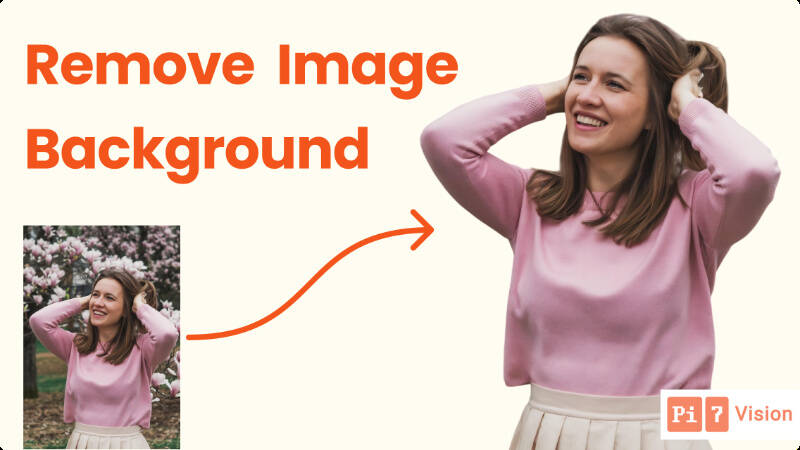
But we didn't stop at background removal. Pi7 Vision also gives you powerful tools to erase or restore objects, change backgrounds, zoom for detailed edits, and compare before-and-after versions of your image. It's fast, intuitive, and built for anyone - from beginners to pros - who wants polished results without complicated software. Plus, your privacy matters: all uploaded images are automatically deleted after 15 minutes, or you can remove them manually anytime.
How to Remove Image Background
- Upload or drag & drop your image.
- The background is automatically removed in 5-6 seconds.
- (Optional) Use editing tools to erase or restore objects, or change the background.
- Download your high-quality edited image.
After removing background, if you want to enhance or sharpen the image, try our Image Restore tool for improved quality and clarity.
What You Can Do After Removing the Background
Once the background is gone, you're in control. Our tool offers powerful editing features to fine-tune your image:
1. Erase Objects from Image
- Smart Remove: Draw a rough shape over the object - our AI detects and removes it cleanly.
- Manual Remove: Want full control? Just draw over the part you want gone. It'll be erased instantly.
2. Restore Removed Parts
Accidentally removed something important? No problem.
- Smart Restore: Sketch over the missing area - our AI will figure out what to bring back.
- Manual Restore: Manually paint back the part you want to restore.
3. Change the Background
- Use an Image: Upload your own background or pick from 100+ ready-to-use backgrounds.
- Set a Color: Want a clean look? Just choose any solid color as your background.
4. Extra Tools That Make Editing Easier
- Zoom: Zoom in to make detailed edits, perfect for small or tricky areas.
- Dilation: Adjust the edge thickness (in pt) to smooth out or sharpen restore/remove edits.
- Undo & Redo: Easily fix mistakes or try different versions without starting over.
5. Before & After Comparison
See the difference instantly. Toggle between the original and the edited image to compare results before you download.
Fast, Smooth, and Secure
- No lag: Every action happens instantly in a smooth, responsive UI.
- Private & secure: You can delete your images manually or wait - they'll be auto-deleted from our server 15 minutes after processing.
Your Privacy Matters
We automatically delete your images from our servers after 15 minutes, ensuring your photos stay private.
Try Pi7 Vision Now!
Pi7 Vision's Background Remover is more than just a tool - it's your shortcut to clean, professional-looking images with zero hassle. From quick background removal to detailed edits like object erase, restore, and background changes, everything works smoothly right in your browser. No downloads, no delays, just powerful AI doing the heavy lifting so you can focus on creating.
Whether you're polishing product shots, customizing portraits, or making standout visuals for your brand, Pi7 Vision gives you speed, precision, and control - all while keeping your data safe. Try it now and see how easy image editing can be.